Baby Filter Meme: Four Reactions You Can Make Your Own
Build a baby filter meme with a readable expression, a short caption, and an original image instead of copying an old Snapchat screenshot.
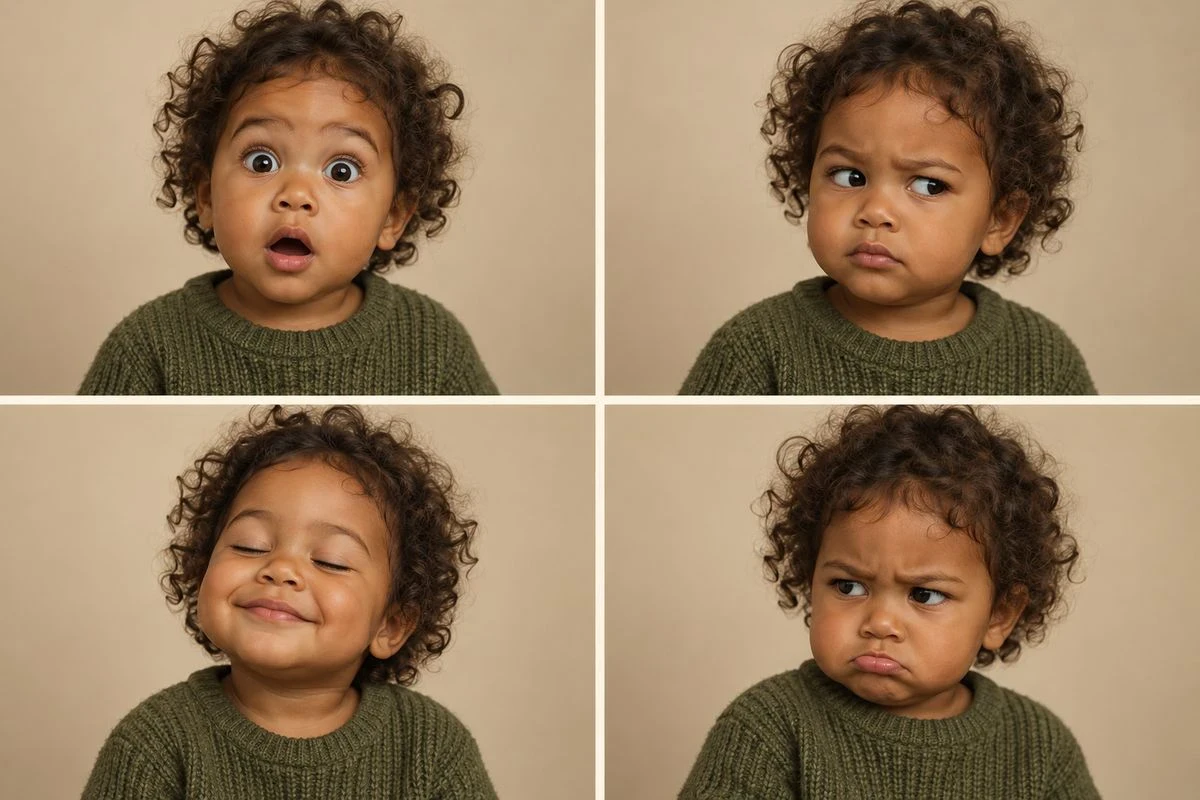

A baby filter meme has two jobs. The face has to read instantly, and the caption has to give that face a situation. If either part is doing all the work, the result feels like a random baby photo with text pasted on top.
The old Snapchat baby-filter archive is useful for understanding the look, but it is history rather than evidence of a current trend. Know Your Meme’s entry and its photo archive show the kind of exaggerated, instantly readable expression people associated with the effect. For a new post, make the image and joke yours.
Disclosure: The saved portrait examples use Vofy’s Baby Filter as the image-making route. The captions, layouts, and expression pairings in this article are original editorial examples.
What actually makes the joke work
Three conditions have to hold at once, and they fail independently.
The likeness has to survive. The viewer needs to identify the person in about a second. If they have to ask who it is, the reaction is confusion rather than recognition. This is the most common failure, and it usually comes from the source photo rather than the tool.
The age shift has to be unambiguous. A slightly softened adult reads as a heavy-handed beauty edit. The result needs to be clearly a baby or toddler. If you are choosing between directions, the more pronounced age shift is usually funnier for meme purposes — the subtle end is for profile pictures, not jokes.
The mismatch has to be social, not visual. The format lands hardest when the adult version carries something the baby version obviously cannot: a serious job, a reputation for being unbothered, a specific standing complaint in a group chat. A baby is not funny on its own. A baby in a context that contradicts it is.
Four situations that match a baby expression
Deadline moved again. Use a wide-eyed or alert face. Caption: “me when the deadline moves to today.” The joke works because the expression is already looking for bad news; do not bury it under a paragraph.
Message read, reply pending. Use a skeptical side-eye. Caption: “them: ‘I just saw this’ / also them: online three hours ago.” Keep the text in two short lines and leave the eyes clear.
Plans cancelled. Use a small relieved smile. Caption: “when the group chat says we can stay home.” The softer expression is the punchline; adding an angry sticker would work against it.
Last snack disappears. Use a knitted brow or tiny pout. Caption: “who took the last one?” A specific object or situation gives the face a reason to be offended.
These are original caption pairings, not claims about what any other creator posted. Change the wording to fit your own voice and audience.
If you would rather work from the expression you already have than from a situation, the same four pairings read the other way round:
| Expression you generated | Situation it fits | Caption shape |
|---|---|---|
| Wide-eyed, alert | Bad news arriving | “me when the deadline moves to today” |
| Skeptical side-eye | Someone contradicting themselves | “them: ‘I just saw this’ / also them: online three hours ago” |
| Small relieved smile | An obligation disappearing | “when the group chat says we can stay home” |
| Knitted brow or pout | A minor injustice | “who took the last one?” |
That table is also the practical test for a result you are unsure about. If you cannot name a situation for the face you generated, the face is the problem rather than the caption — go back and change the direction or the crop instead of writing harder to compensate.
The reason this matters is that a baby filter gives you a narrow band of usable expressions. Genuine surprise, flat skepticism, relief, and mild offence all read clearly at small sizes and all have obvious social situations attached to them. Broad laughter and exaggerated sadness are harder to caption because they already commit to a specific reaction, which leaves the text nowhere to go.
Caption patterns that carry the joke
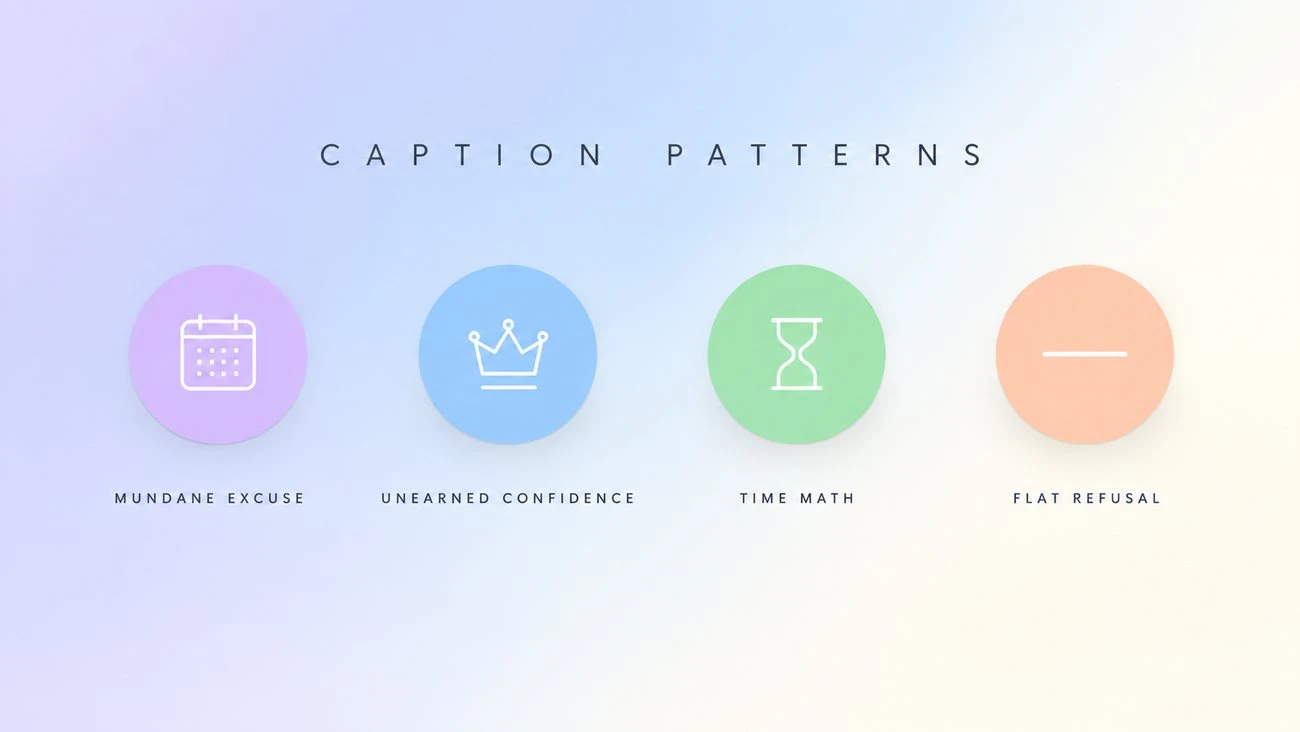
The caption is not decoration. Its job is to set up the contradiction the image delivers. Four shapes account for most of the ones that work.
The mundane excuse. The baby face paired with an adult-sized reason for something — “I have a meeting at 9.” The gap does all the work; nothing else is needed.
The unearned confidence. A baby face claiming authority on something it obviously has no experience with — “I’ve seen enough.”
The time math. A year count that does not add up, inviting people to notice — “32 years ago today.” The number is the entire joke.
The flat refusal. One or two words, paired with an expression that reads as genuinely unbothered — “No.” This one only works if the image cooperates; a smiling baby saying “no” reads as cute rather than deadpan.
What separates these from a caption that flops is that each gives the reader a small piece of work to do. “Me as a baby!” gives them nothing to resolve, so the image has to carry the entire joke — and it usually cannot.
Length matters more than people expect. Keep it under ten words where you can. A long setup gives the reader time to process the image before the punchline, which kills the timing.
Make the face before you write the joke
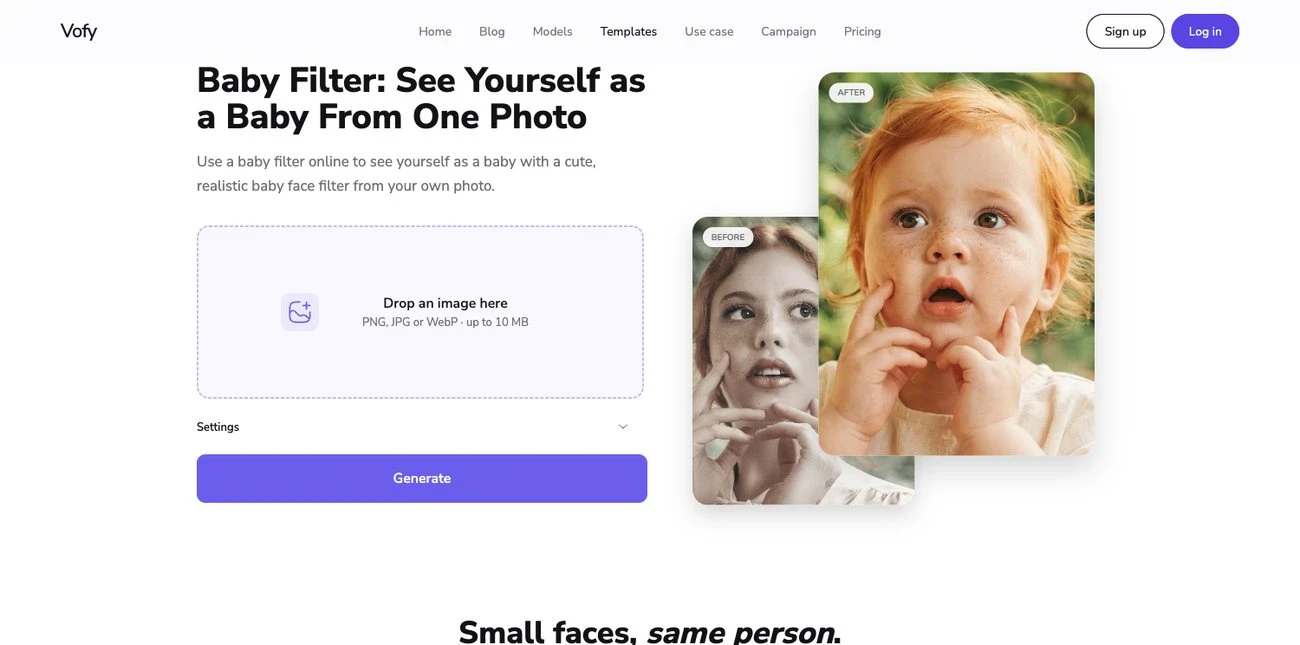
Start with a portrait you own or have permission to edit. A close, even-lit face gives an AI baby edit useful information. Open Baby Filter and begin with a natural baby or toddler direction; try Funny Meme after you have a recognizable base. Review the eyes, mouth, cheeks, hairline, and expression before designing the caption.
A funny result can be stylized. It should still have one cue that points back to the source person: the eyebrow angle, hair direction, smile, or a familiar expression. If the face becomes generic, change the crop or mood instead of adding louder text.
If two people are in the photo, both faces need to be clearly visible, and both edits should use the same direction. A natural baby direction on one person and an exaggerated comedic one on the other produces a pair that reads as accidental rather than deliberate — and mixed-coverage pairs are the most common combination error in couple memes.
The two-second thumbnail test
Open the finished image at the size it will appear in a feed. If the caption is longer than the expression can support, shorten it. If the words cover the eyes or mouth, move them to the quiet space above the head or beside the shoulder. If the image needs a paragraph to explain the joke, choose a clearer situation.
Make a clean, uncaptioned copy before adding platform text. That lets you reuse the face for a story, a TikTok reveal, or a group-chat reply without baking one joke into every version. Keep a note that the image is an AI transformation when a viewer might mistake it for a real childhood photo.
What kills the joke
A generic baby. If the result could plausibly be any baby, the meme has no subject. This is the most common outcome and the hardest to notice from inside the process, because you know who it is supposed to be.
Over-editing toward cute. The temptation is to push the softening until the result is maximally adorable. Past a point the face stops being identifiable and the joke converts into a generic cute image. The funnier end is usually the more restrained one.
Several faces with no clear subject. If the joke is about one specific person, edit that person. A wide shot with five faces spreads the recognition thin.
Aggressive captions. Anything that reads as an actual insult rather than an absurd contrast shifts the tone. The joke is the incongruity, not the person.
Where the format travels
The joke is portable, but the container changes.
Instagram and TikTok. The format spreads as a before-and-after carousel or a single image with the caption burned in. Burned-in captions survive reposting; caption-field jokes get lost when someone screenshots and reuploads.
Group chats. The highest hit rate and the lowest production effort. No caption is often better than a good one, because everyone already knows whose face it is — the recognition is instant.
Profile pictures. A different use of the same transformation. The joke is quieter and longer-lasting, which is why the studio-style direction works better than the exaggerated one.
Story replies and reaction posts. The image gets reused as a response, which means it needs to be readable at small size. A tight face crop survives being shrunk into a reply bubble; a wide scene does not.
Decide where the image will be seen before you decide how to crop and caption it. The same transformation serves all four, but not at the same framing.
Meme, baby photo, or future-baby post?
Search results mix nearby ideas. A baby filter meme uses a baby-version face as the reaction. A real-baby meme uses a child’s actual photo. A future-baby post imagines a child from two adults. A dancing-baby video is a motion format. They can share words such as “baby” and “filter,” but the image task and the permission question are different.
Consent, and the group chat problem
This is the part that gets skipped, and it is the part that actually causes problems.
Editing your own photo is straightforward. Editing someone else’s is a different proposition, and the friendliness of the context does not change that. A few habits worth building in:
- Ask before posting someone else’s edit publicly. A private group chat and a public post are not the same audience, and someone who finds the image funny among friends may not want it indexed against their name.
- Skip it for anyone in a work context. A baby edit of a colleague lands differently from one of a close friend, regardless of intent.
- Do not take a found child’s photo, add a caption, and assume the result is harmless because it is a meme.
- Avoid comparisons to public figures or famous childhood photos. Those invite claims about how a real person actually looked as a child, which an AI edit cannot support.
Use only images you own or are allowed to edit and share, and check the platform’s current AI-content and likeness rules before posting. If someone asks you to take one down, take it down — the rest of this is just a way of avoiding the request.
A final check before sharing
Does the expression support the situation? Is the caption short enough to read on a phone? Is the face unobstructed? Is it clear that the image is a fictional AI edit when that matters? If the answer is yes, the meme is ready. If not, fix the image or the line instead of stacking more decoration on top.
For a full portrait workflow, read Baby Face Filter: Keep the Face Recognizable. For a vertical reveal, use Baby Filter TikTok. A good baby filter meme does not need a borrowed screenshot or a complicated template; it needs one face, one situation, and a caption that knows when to stop.
Try it yourself on Vofy
Generate AI images and videos with the best models - all in one studio.
Discover More
 Sofia Rodriguez•
What Would I Look Like as a Baby? AI Generator Guide
A practical guide to making a baby face filter from one portrait, choosing a source photo, judging identity drift, and fixing an edit that looks like a random child.
 Sofia Rodriguez•
Baby Filter TikTok: Which Effect Are You Looking For?
Sort the different baby filter TikTok searches, then turn a permitted portrait into a readable before-and-after post without pretending an AI edit is a real childhood photo.
 Sofia Rodriguez•
Snapchat Baby Filter: Find and Use the Right Lens
Find the Snapchat baby filter people mean, tell a face Lens from a similarly named effect, and use Snapchat’s current camera flow without chasing an outdated tutorial.